前天下午上传图片时发现服务器OpenResty崩了,手动启动报错Illegal instruction
说实话我看到这报错还是挺懵的,看了一眼CPU型号发现是二代E5
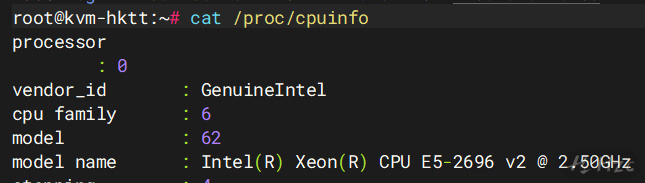
明明之前是四代的,还偷偷降配置了?
旧E5不支持AVX2指令集,原先编译好的无法运行
发工单问了下,说我这套餐“不承诺CPU型号”,虽然很不爽,但又拿他没办法,事已至此先重新编译下吧
命令
安装是在内置的”应用“里安装的,需要找到安装时执行了什么命令才好复原。我用DeepWiki索引了该面板的仓库,找到了相关的api接口,获取到路径后下载脚本(dl.acepanel.net/nginx/install.sh)
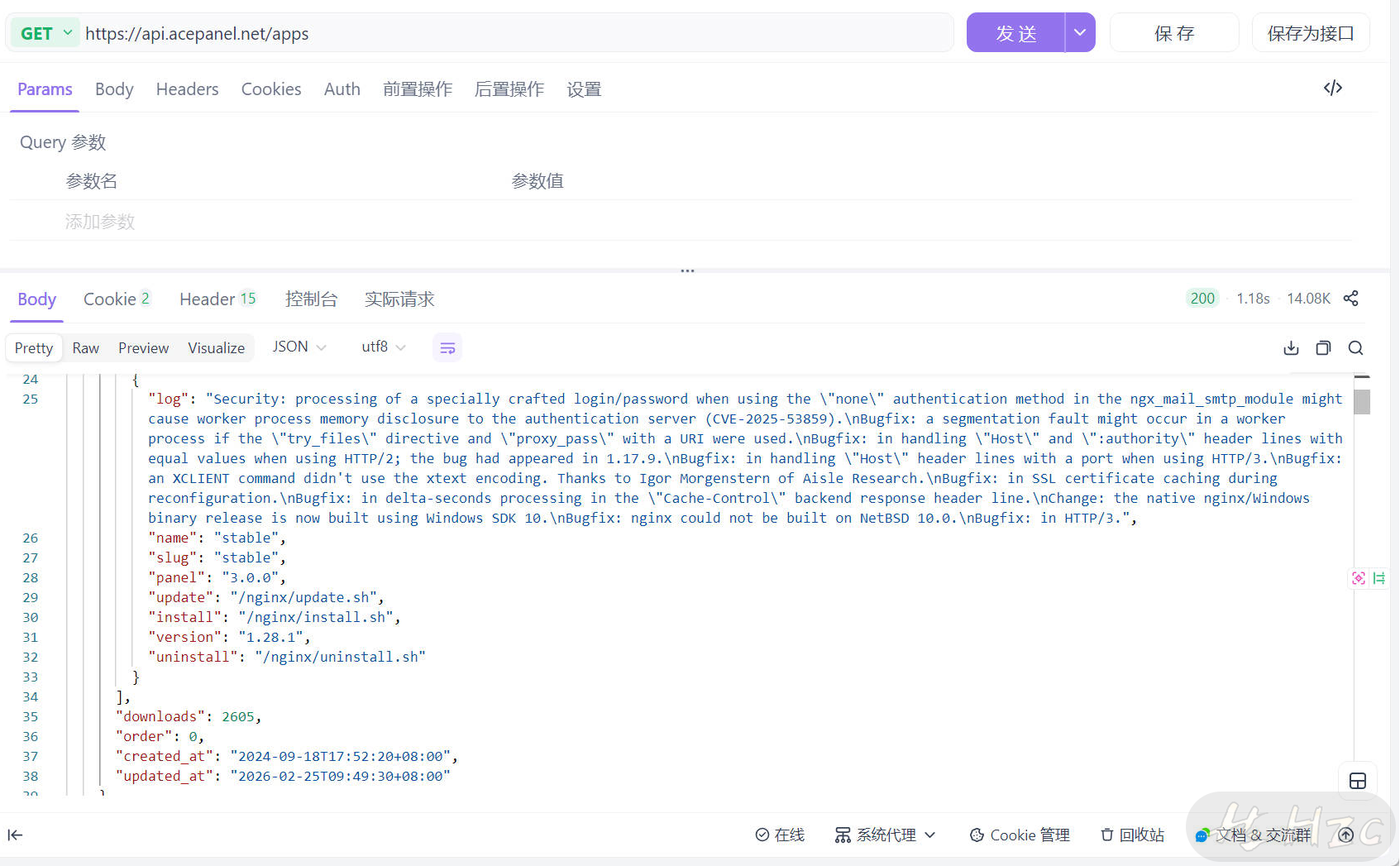
找到安装脚本就好办了,重新执行以下命令即可
cd /www/server/nginx/src/ngx_brotli/deps/brotli
rm -r out
mkdir out && cd out
cmake -DCMAKE_BUILD_TYPE=Release -DBUILD_SHARED_LIBS=OFF -DCMAKE_C_FLAGS="-Ofast -march=native -mtune=native -funroll-loops -ffunction-sections -fdata-sections -Wl,--gc-sections" -DCMAKE_CXX_FLAGS="-Ofast -march=native -mtune=native -funroll-loops -ffunction-sections -fdata-sections -Wl,--gc-sections" -DCMAKE_INSTALL_PREFIX=./installed ..
cmake --build . --config Release --target brotlienc


cd /www/server/nginx/src/
make clean
./configure --user=www --group=www \
    --prefix=/www/server/nginx \
    --add-module=/www/server/nginx/src/ngx_cache_purge \
    --add-module=/www/server/nginx/src/nginx-sticky-module \
    --with-openssl=/www/server/nginx/src/openssl \
    --with-openssl-opt="no-tests enable-ktls" \
    --with-pcre=/www/server/nginx/src/pcre2 --with-pcre-jit \
    --with-ld-opt="-Wl,-s -Wl,-Bsymbolic -Wl,--gc-sections" \
    --with-cc-opt="-march=native -mtune=native -Ofast -funroll-loops -ffunction-sections -fdata-sections -Wl,--gc-sections" \
    --with-file-aio \
    --with-threads \
    --with-compat \
    --with-http_v2_module --with-http_v3_module \
    --with-http_slice_module \
    --with-stream --with-stream_ssl_module --with-stream_realip_module --with-stream_ssl_preread_module \
    --with-http_stub_status_module \
    --with-http_ssl_module \
    --with-http_image_filter_module \
    --with-http_gzip_static_module --with-http_gunzip_module \
    --with-http_sub_module \
    --with-http_flv_module \
    --with-http_addition_module \
    --with-http_realip_module \
    --with-http_mp4_module \
    --with-http_auth_request_module \
    --with-http_secure_link_module \
    --with-http_random_index_module \
    --with-http_dav_module \
    --add-module=/www/server/nginx/src/nginx-dav-ext-module \
    --add-module=/www/server/nginx/src/ngx_http_security_headers_module \
    --add-module=/www/server/nginx/src/ngx_http_trim_filter_module \
    --add-module=/www/server/nginx/src/ngx_brotli \
    --add-module=/www/server/nginx/src/ngx_http_zstd_module
make -j$(nproc)
make install
注:安装脚本里与面板程序的交互已经是新版本的了,完全不兼容旧版本,换句话说旧版本里应用商店用不了了。天天破坏性变更